CANQuest

Timeline: 4 months
Year: 2025
Role: UX / UI Designer

The Project

CANQuest is a gamified study app for busy students and working individuals preparing to take the Canadian Citizenship Test. This project was created during the NMED10Y3 course (New Media Senior project) at the University of Toronto. This course also requires a speculative component which is covered later on.

Note: To prepare for the Citizenship Test, the Discover Canada textbook is read, which is a 50+ page textbook containing information about Canada such as its history, geography, political system and more. During the test, there are 20 questions to answer, and 30 minutes to do so.
EMPATHIZE

User Research: Summary

I conducted primary research in the form of moderated usability studies.

The goal of the interviews were to:

With 6 interviews I categorized the data into 4 theme groups and 1 sub-group. The theme groups are Study Strategies, Potential Features, Challenges, and Motivations in Playing Games.

Users also mentioned some accessibility concerns, such as covering learning needs for different people, and disabilities they may have.
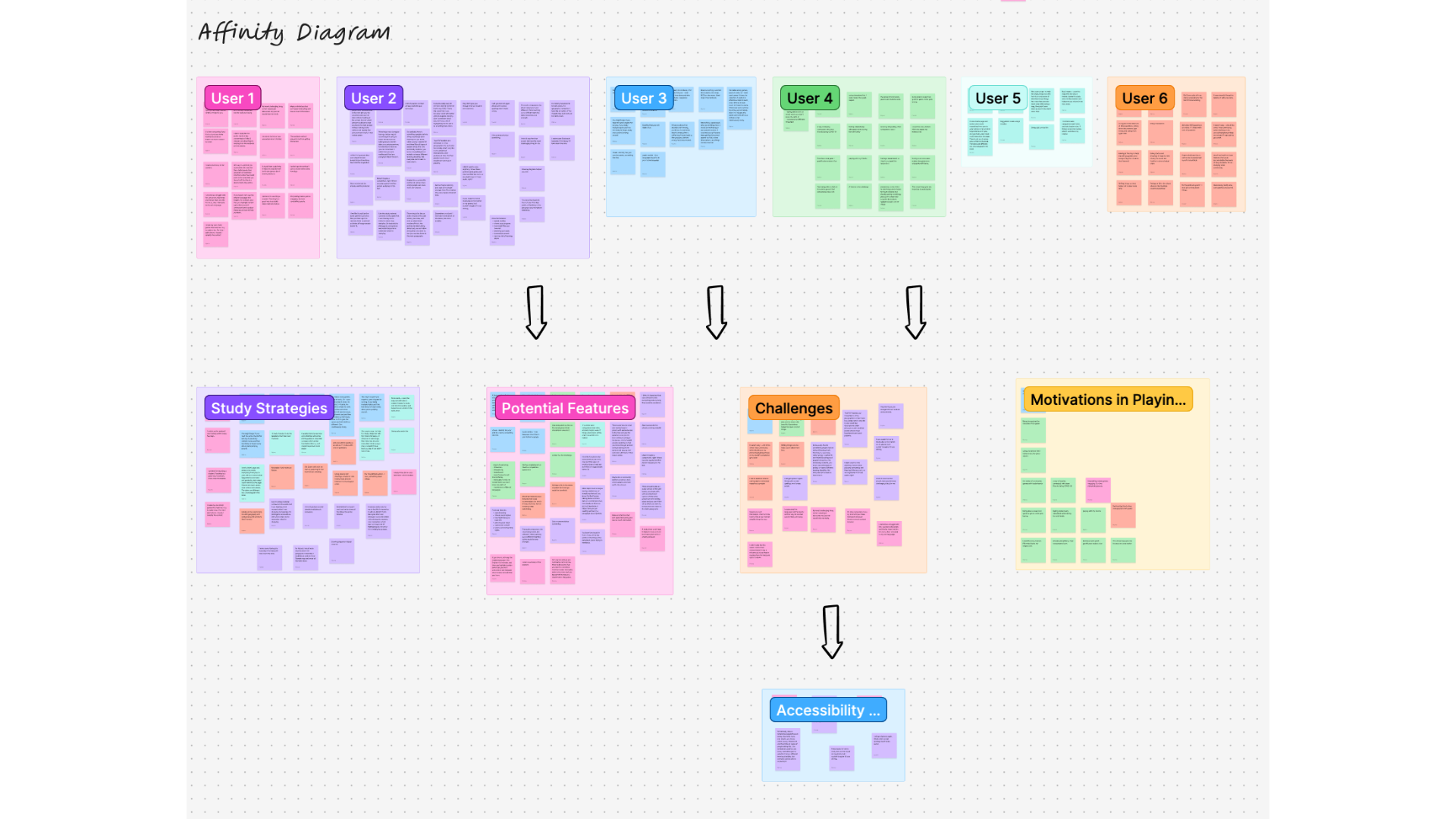
User Research: Affinity Diagram

User Research: Motivation in Playing Games

Positive experiences with gamified features

  • Gamified features make games fun and engaging.
  • Swapping between games keeps the experience fresh and exciting.
  • Virtual maps provide incentives for players to work harder.
  • Gamification helps in destressing and spending quality family time.

Storytelling & quest completion

  • Storytelling and completing quests make games engaging and compelling.
  • Characters and quests add to the enjoyment of the game.
  • The story feature, along with filling in the blanks, enhances the gaming experience.

Community engagement & connection

  • Games with leaderboards foster a sense of community and competition.
  • Playing with friends and family helps in staying connected, especially during challenging times like COVID-19.
  • Engaging exercises and cool graphics contribute to feeling intellectually stimulated while having fun.

User Research: Potential Features

Users gave some ideas for potential features to be implemented into the app. Based on the users’ pain points, some of these features will be taken into consideration.

Time management and progress tracking

  • Adding a study timer for focus and progress tracking.
  • Creating a large timeline for better organization.
  • Implementing features for studying while commuting.
  • Providing a summary of content for quick review.
  • Offering a resource tab for easy access to materials.

Gamified learning experience

  • Incorporating a leaderboard for motivation and competition.
  • Adding a timer for a fun challenge.
  • Using cute characters to enhance the experience.
  • Implementing a fill-in-the-blank feature.
  • Introducing a competition mode for studying against others.

Multi-sensory learning tools

  • Including visual elements like maps and characters for interactive learning.
  • Providing an audio version in the user's native language.
  • Offering a zoom feature to connect with friends/family.
  • Allowing users to click on words for definitions.
  • Incorporating a timer for time-bound challenges.

Diverse learning styles support

  • Catering to different learning styles with audio and visual components.
  • Visualizing content for better retention.
  • Supporting speed reading and summarization features.
  • Incorporating a community section for sharing resources.
  • Providing translations and highlighting for better understanding.

Audio and visual aids

  • Including audio versions of books with visual attachments.
  • Utilizing visuals to aid in memorization.
  • Summarizing content with key points.
  • Supporting different learning styles with varied resources.
  • Ensuring an interface that is not overwhelming with information.

User Research: Study Strategies

I wanted to get an idea of the study strategies users used to help prepare themselves for the test.

History Study Methods

  • Creating timelines with events in a story-like sequence helps with memorization.
  • Using flashcards and writing down information helps with retention.
  • Pretending to teach the material to someone else aids in understanding and retention.

Geography Study Methods

  • Using maps to study geography enhances visualization and understanding.
  • The story feature, along with filling in the blanks, enhances the gaming experience.

Creative Study Methods

  • Making study games with flashcards and simplifying content with colors and visuals makes studying fun and effective.
  • Switching up study methods, teaching the material, and studying bit by bit are effective strategies for retention.
  • Using audio and visual aids, like connecting study material to audio, helps with memory recall.

User Research: Pain Points

These are the 3 digital travel booking tools that came up most often in survey responses. My goal was to compare what features they had to offer in order to identify gaps and opportunities for improvement.


Study Challenges
  • Memorizing dates was particularly difficult
  • Balancing studying with university was stressful
  • Visual aids and illustrations helped with learning a lot of content
    Time Constraints
    • The time crunch was the most challenging aspect
    • Not enough time was given to study, leading to cramming
    Learning Difficulties
    • People with different learning disabilities found it hard to memorize content
    • Language complexity and lengthy wording made understanding difficult
    Study Methods
    • Writing things out helped, but was time-consuming
    • Flashcards were time-consuming due to the vast amount of content to cover
    • Audio study materials were not effective, leading to loss of concentration

    Define

    What's the problem?

    The Problem

    The process of studying for the test can feel boring and lengthy, difficult to understand, and memorizing dates can be tricky.

    The Goal

    To create a gamified study app that addresses the study challenges, learning needs and accessiblity considerations using study methods that helps the user study in a time crunch.

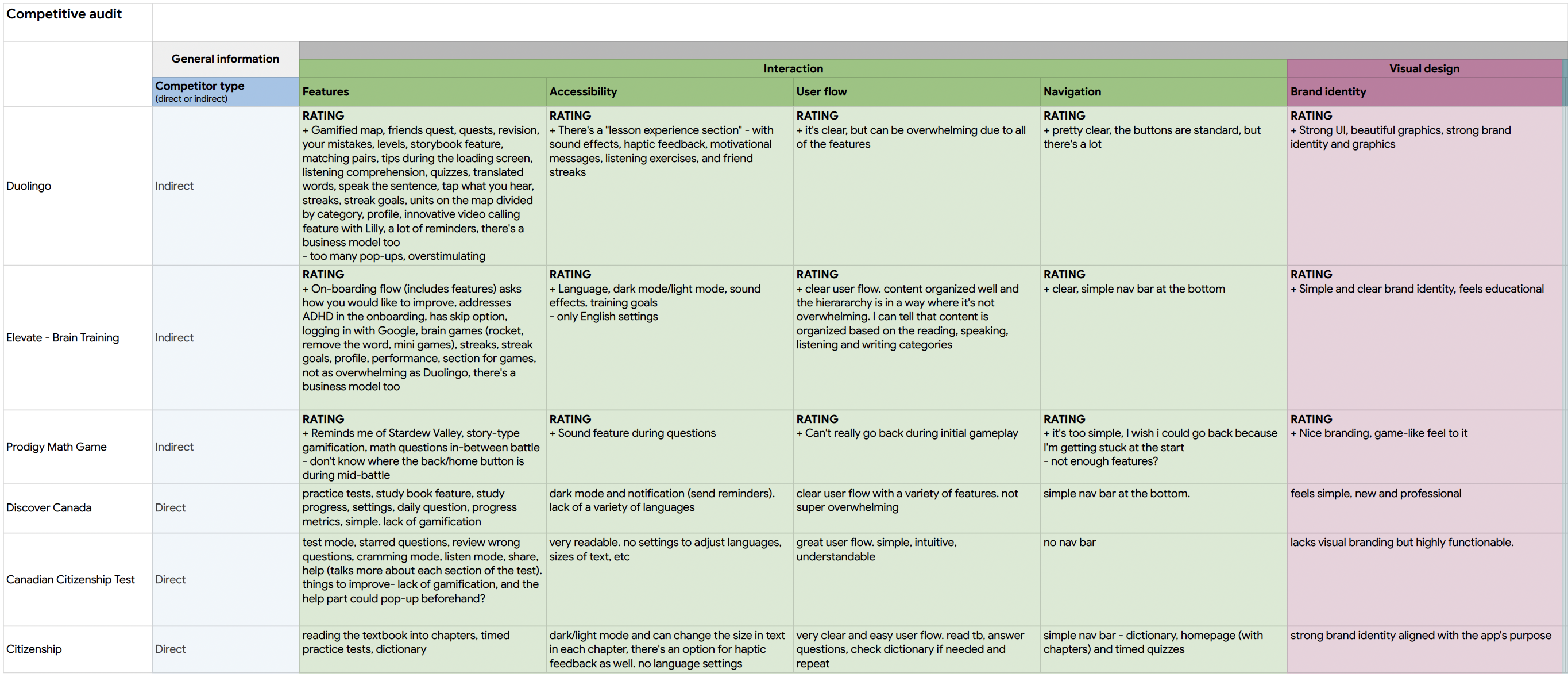
    Competitive Audit

    A competitive audit helped me to become familiar with various study apps and gamified features. It also helped me to identify some of the gaps in the market for existing study apps for the Canadian Citizenship test. This was having gamified features, and screens such as a map, and timeline. I looked at 6 different apps to create the audit.

    Pros:
    • Book stays, car, taxis & attractions
    • Save stays to view them later
    • View previous + upcoming trips
    • Does a few things very well
    Cons:
    • No travel planning features other than for stays
    Pros:
    • Book stays and experiences
    • Create wishlists to save stays for later
    • View previous + upcoming stays
    • Local hosts & inspiring articles
    Cons:
    • No travel planning freatures other than for stays
    Pros:
    • Find flights, hotels & things to eat/do
    • Tailored suggestions based on previous searches and trips
    • Excellent trip planning features
    • Excellent price comparison features
    Cons:
    • Not a dedicated app, users have to go elsewhere to gook

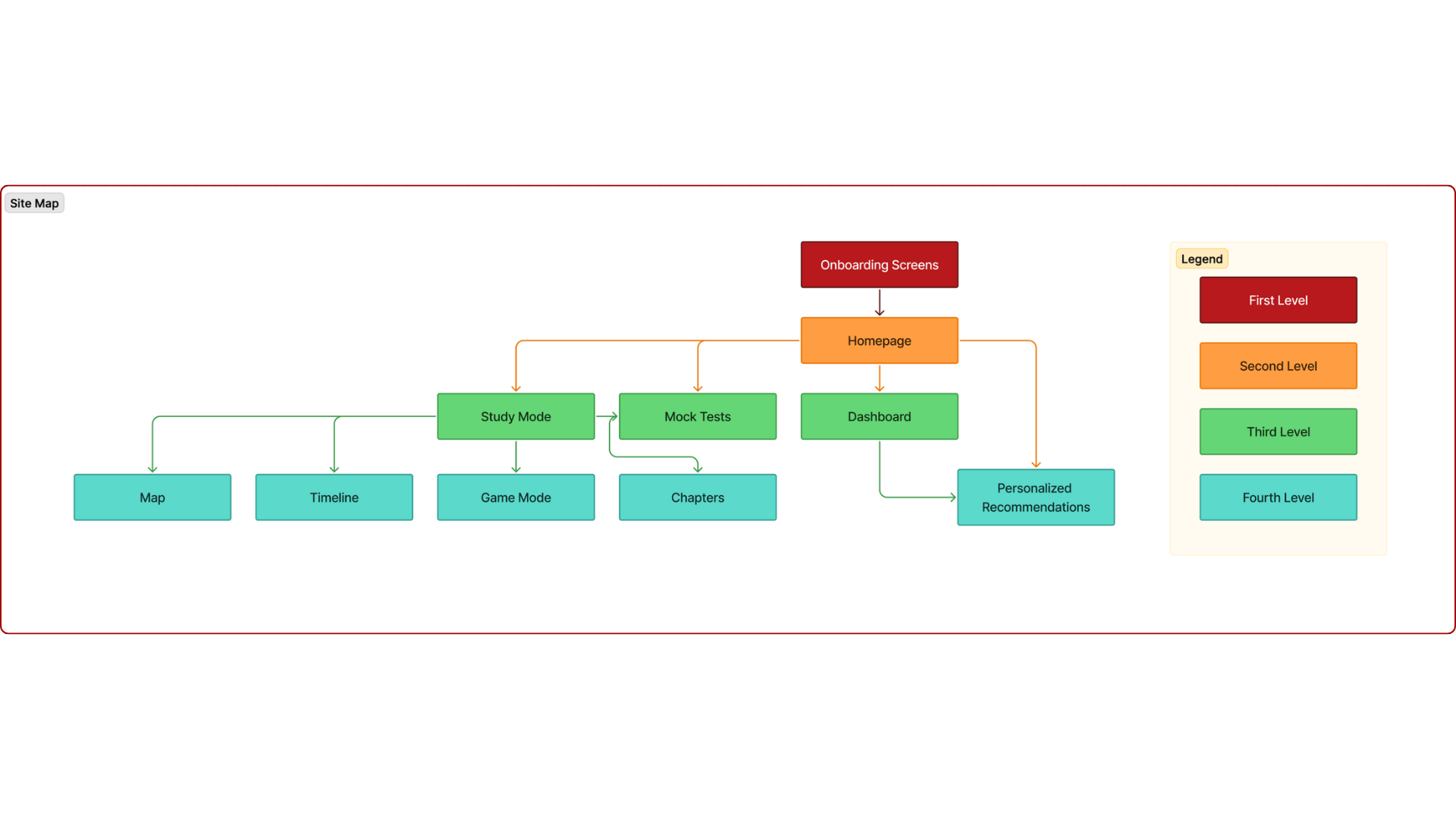
    Information Architecture: Site Map

    The site map consists of the current screens of the MVP (minimal viable product). More screens will be added as the project progresses in the future. This shows the hierarchy of the screens in the app.
    Ideate

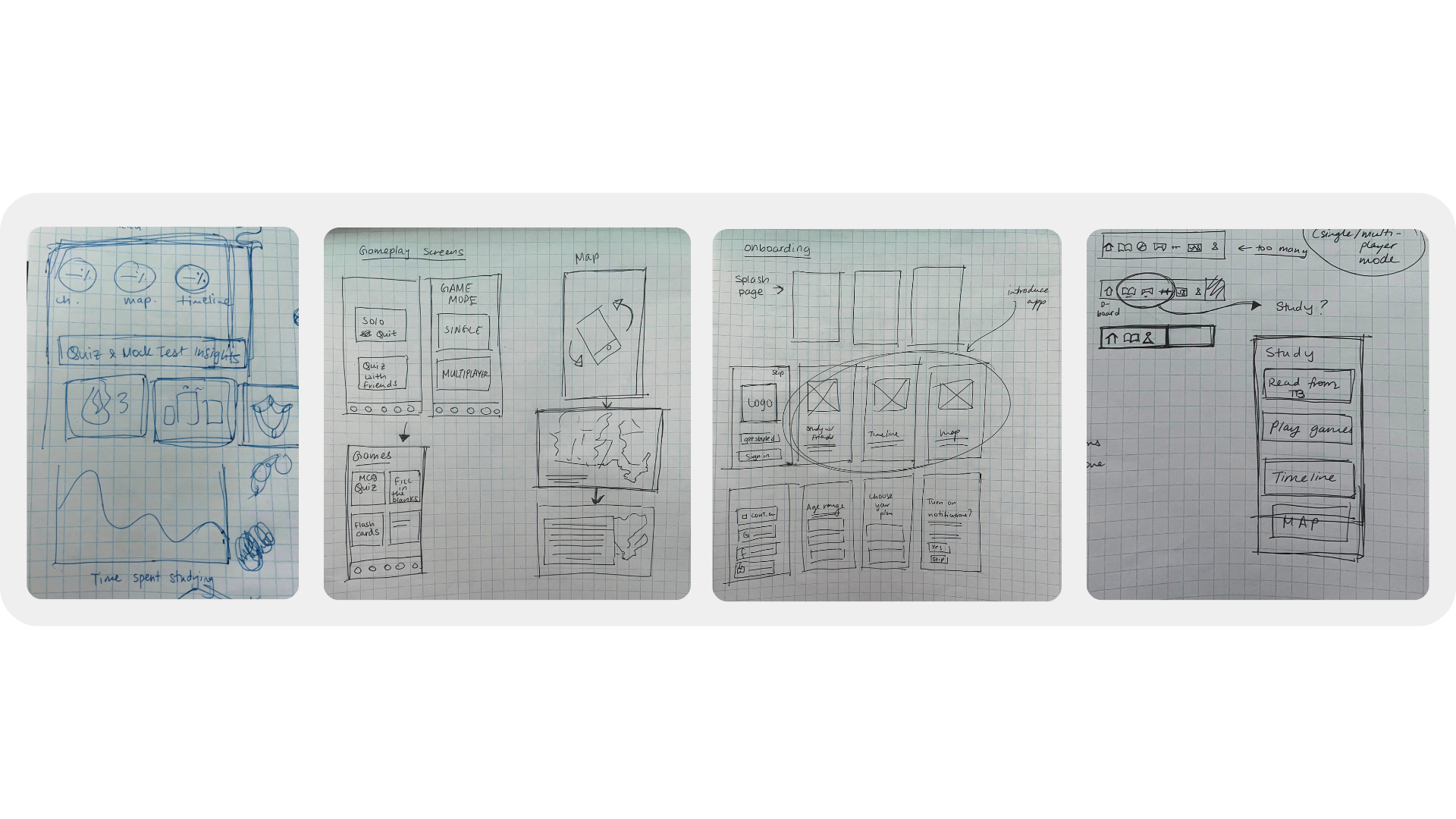
    Paper Wireframes

    Focusing on the core features identified during user research, I sketched the first wireframes using pen and paper.
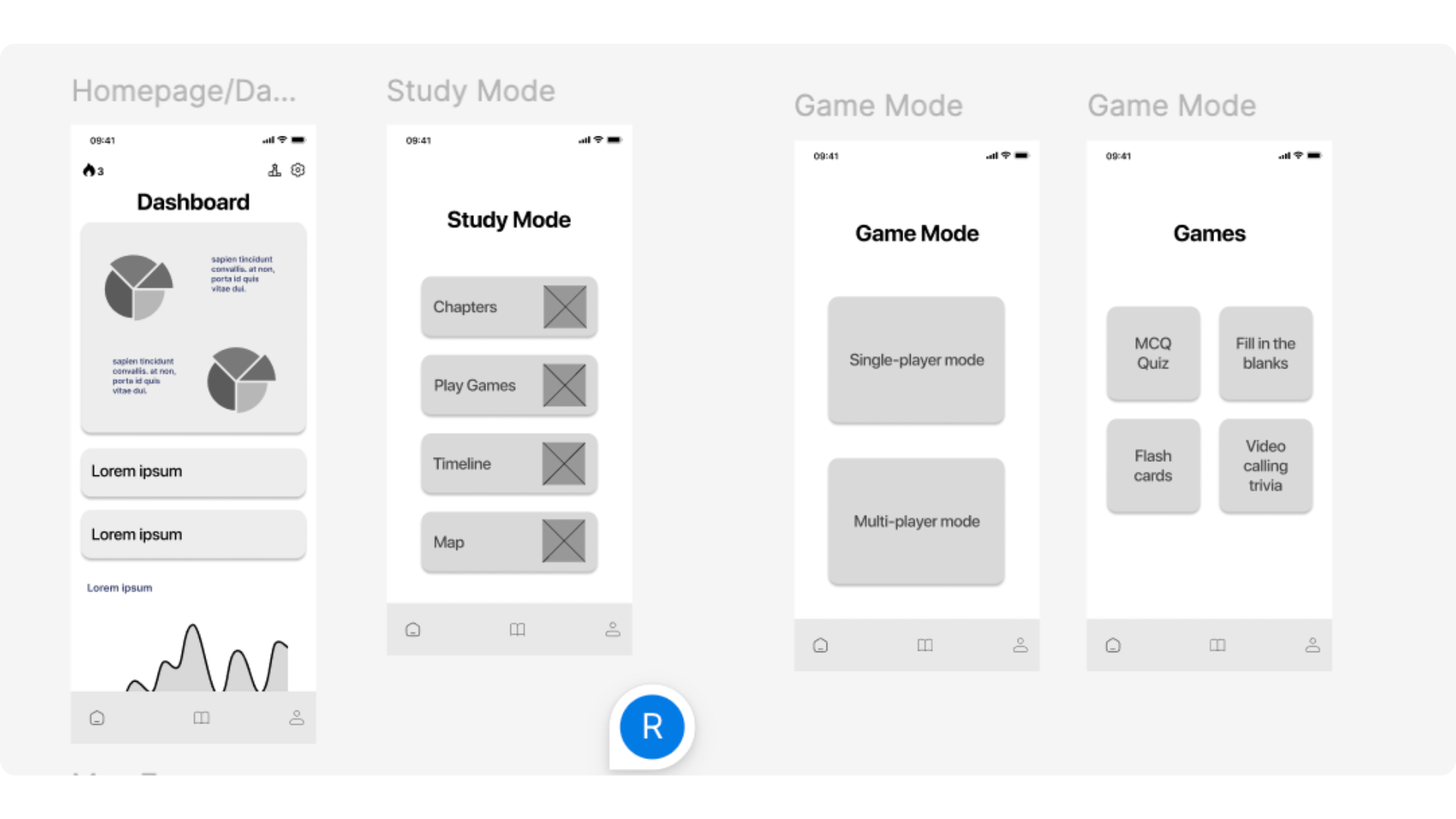
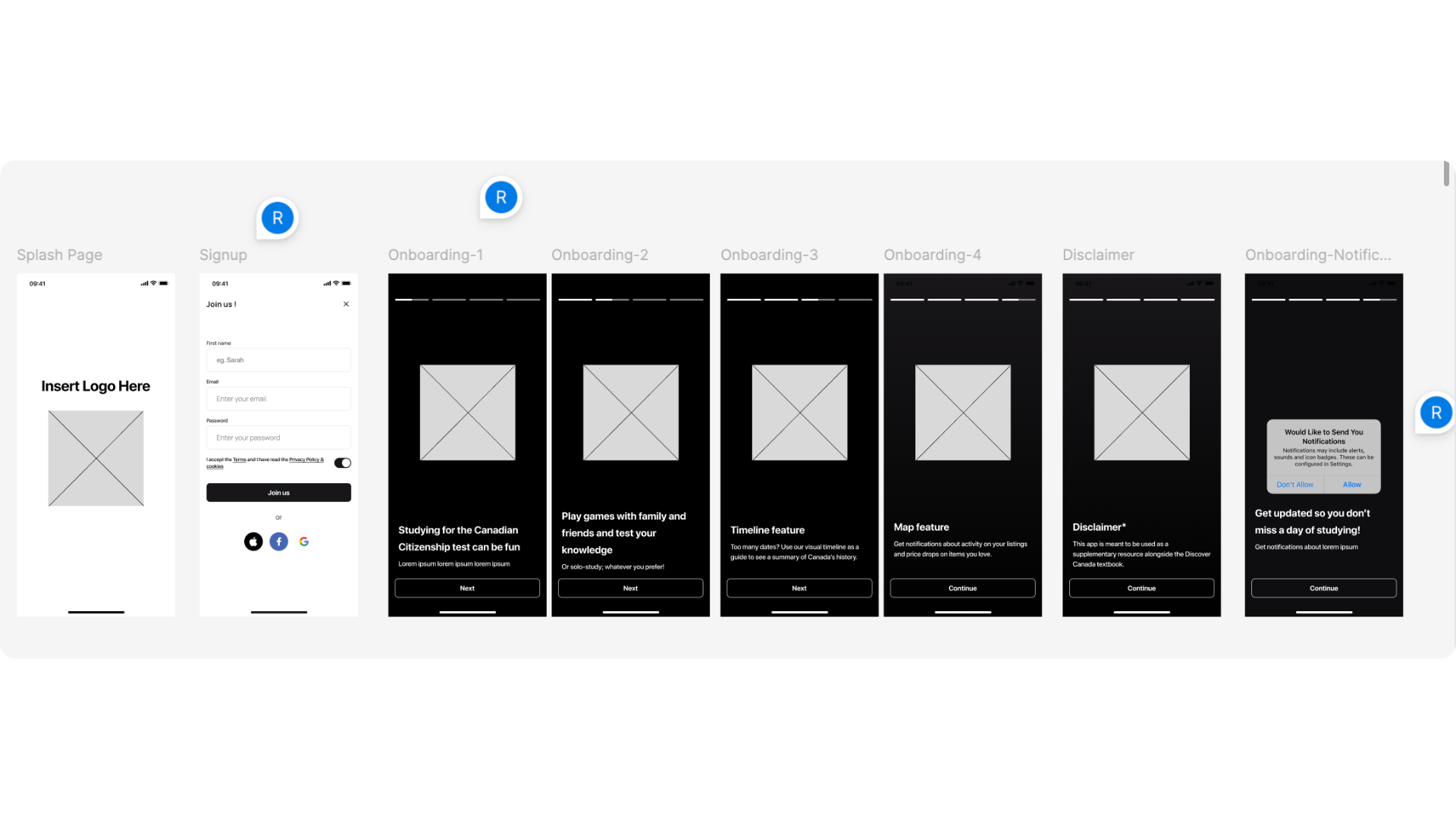
    Lofi Wireframes

    In these wireframes, I created the main onboarding screens.
    Lofi Prototype + Initial Reaction Test

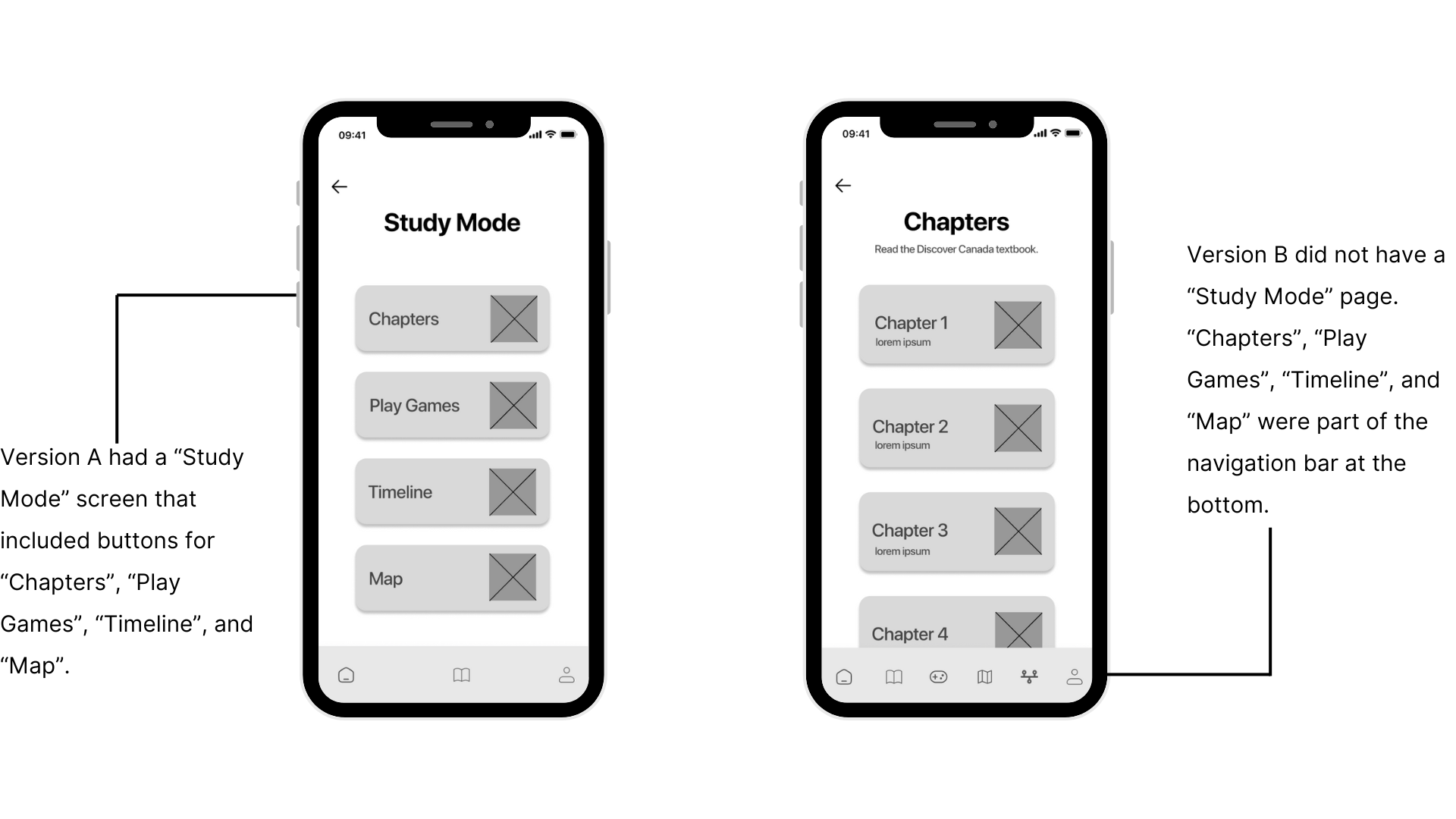
    At this point of the process, I had two ideas that I wanted to test out with users. I wanted to see which version was better and more easier for the user to navigate through. As a result, users preferred Version A since the navigation was more clear.

    Initial Reaction Testing: Parameters

    Moderated Usability Study
        Canada, Remote
          3 Participants
            10-30 minutes

              Initial Reaction Testing: Findings

              Users preferred Version A since the labeled buttons made the navigation was more clear.
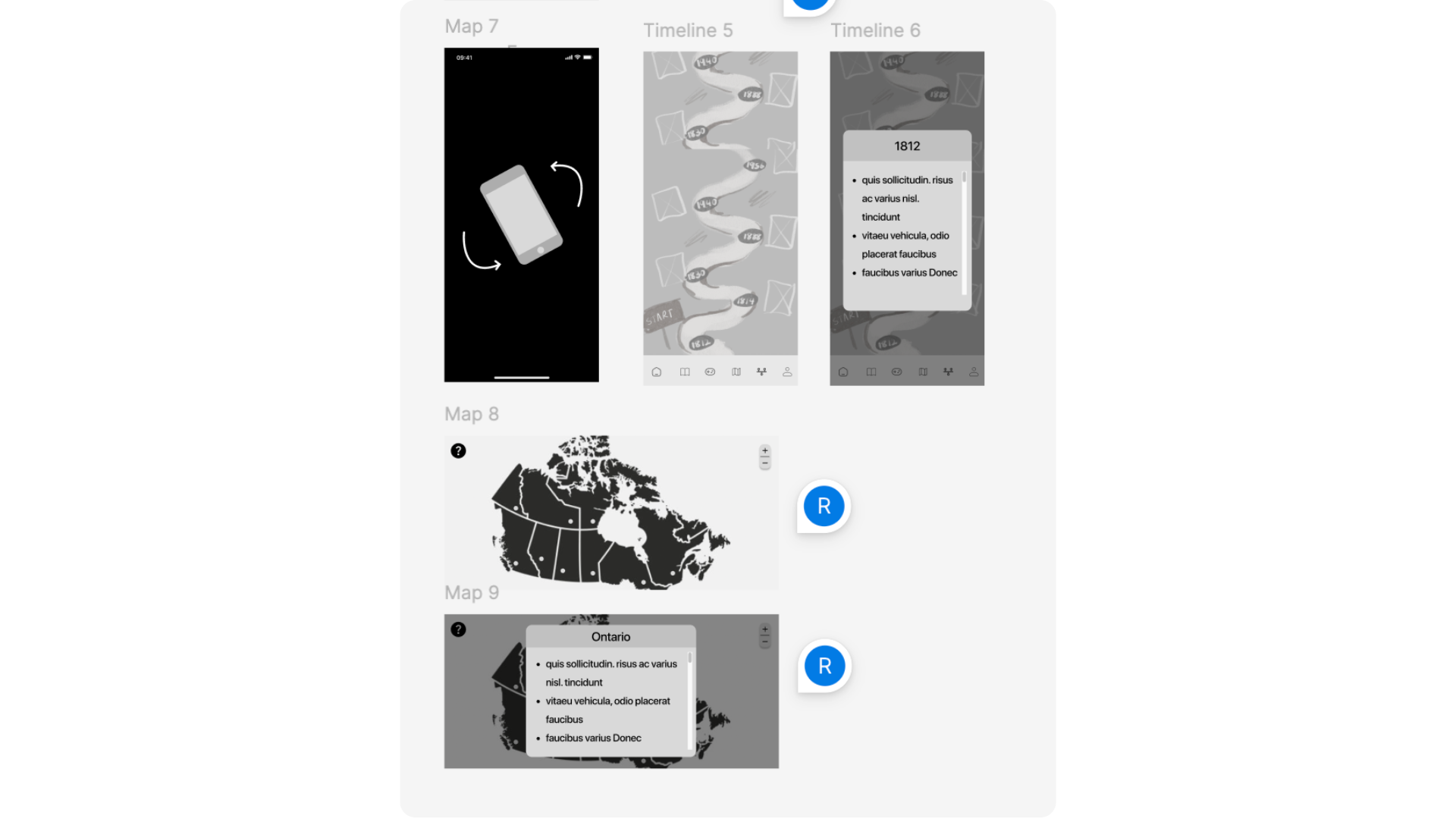
                The map isn’t turning sideways properly to fit the screen.
                After the user reads a chapter, there should be an option for them to get quizzed on. There can be a separate mode for games and questions, but also an option right after reading content.
                  The navigation bar needs to be fixed in place; at the moment users are only able to view it after scrolling down.
                    On the timeline, a visual can be added across the date which represents the main event that happened.

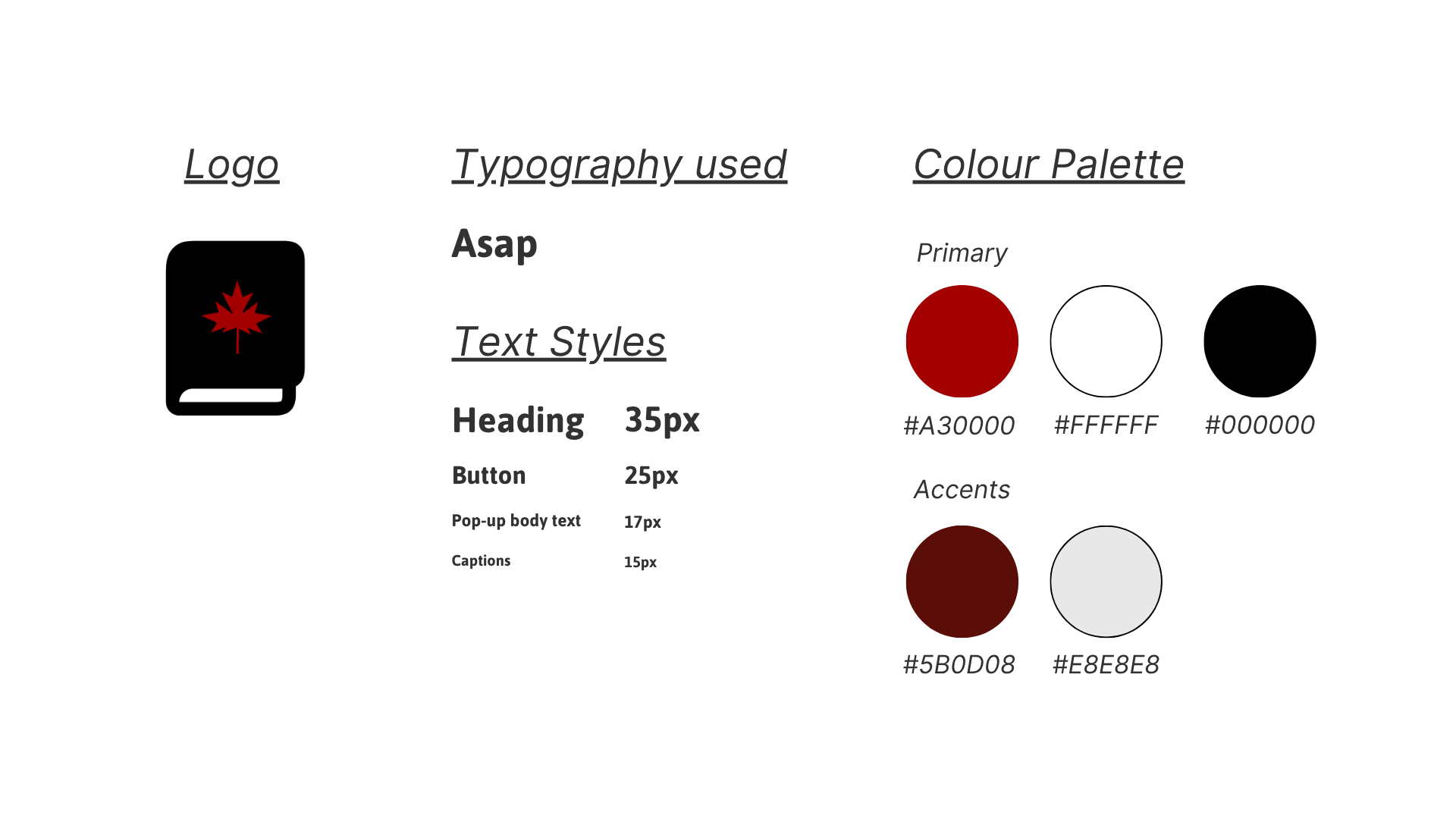
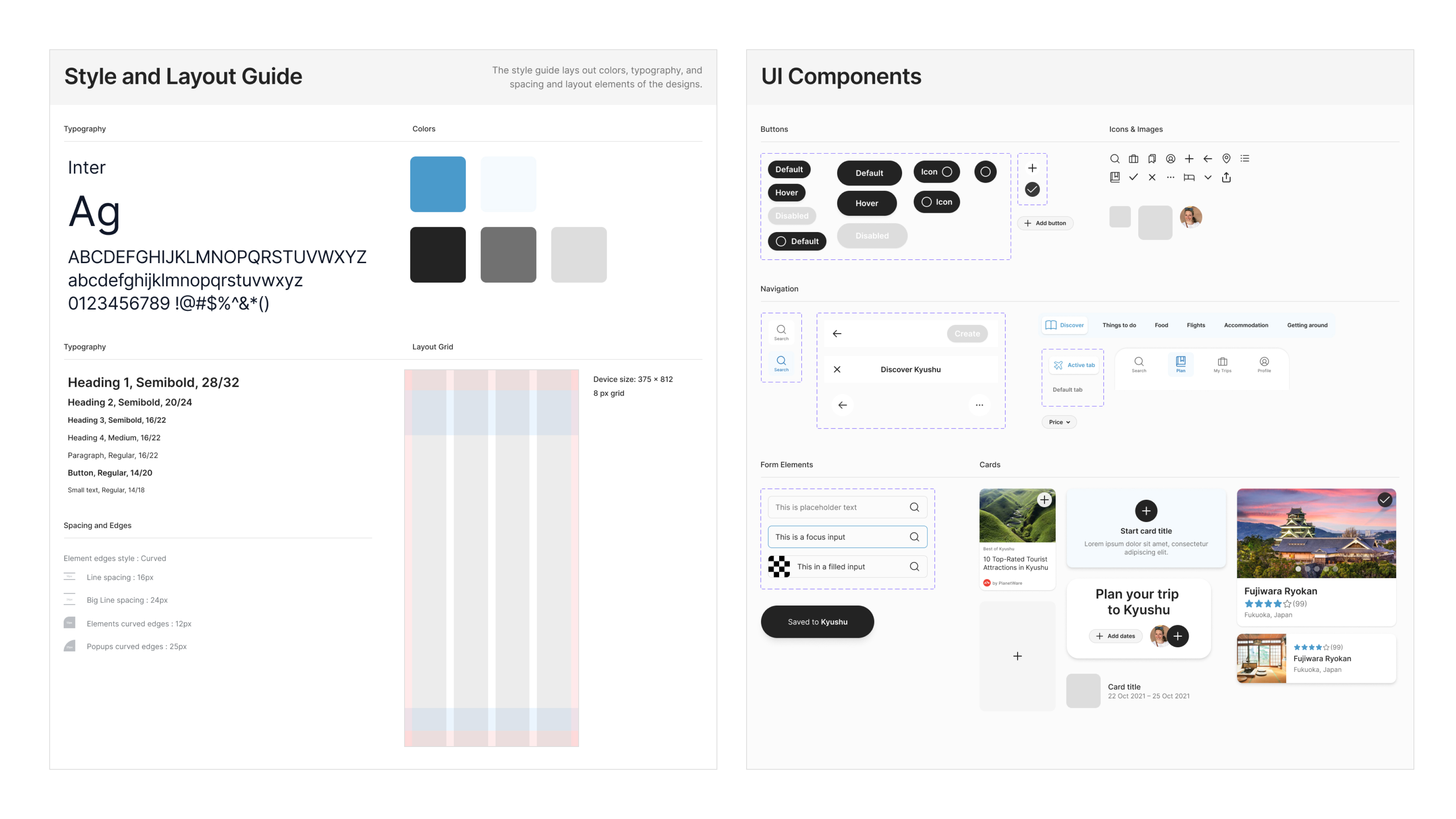
                      Style guide

                      Component library

                      After setting up color and text styles in Figma, I started to build a component library to maintain consistency across the designs. Components were setup using auto layout to make sure they are scalable across different screen sizes.
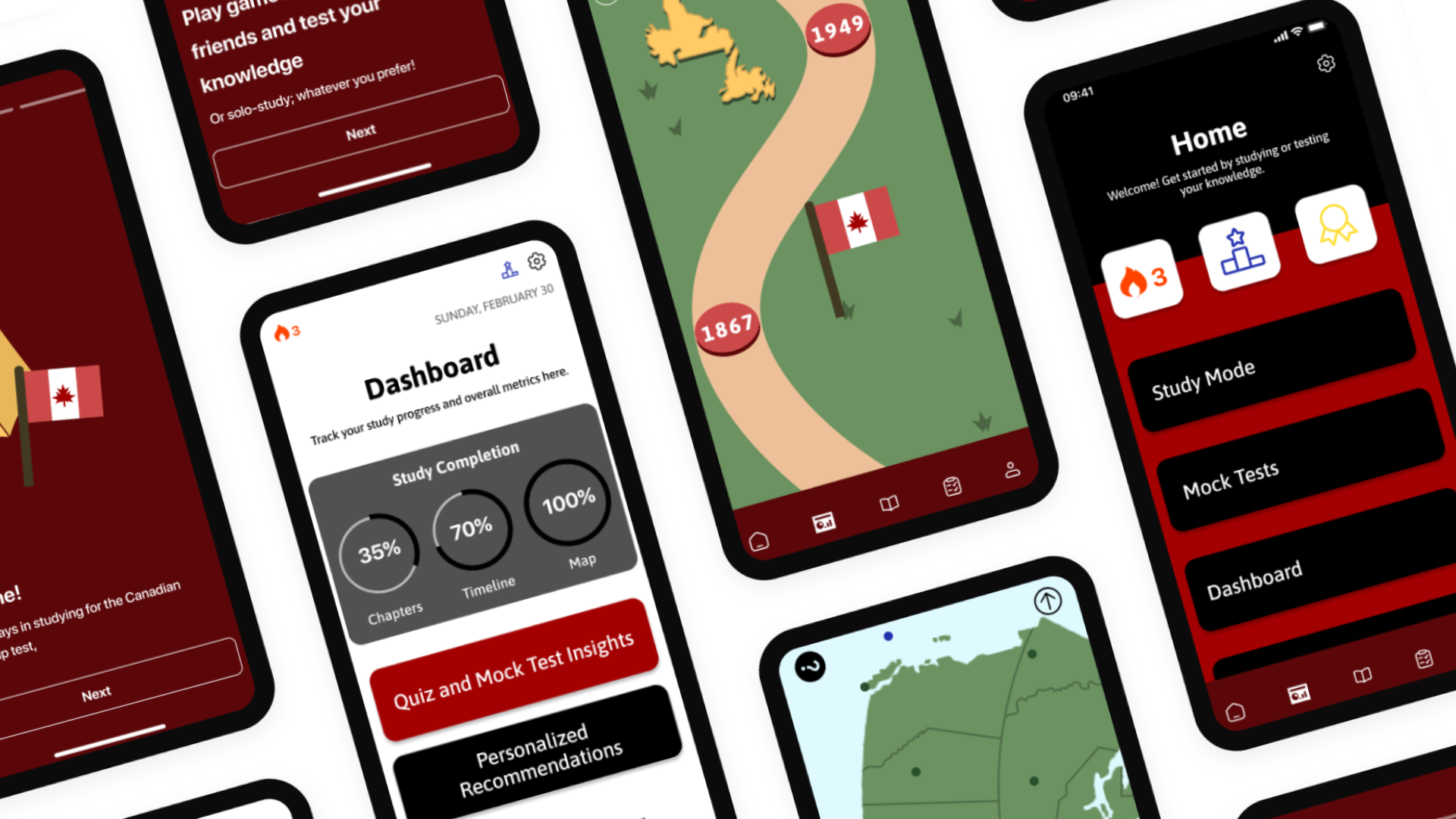
                      Mockups

                      All of these elements finally come together in the final designs. Users can search by location to create a new trip and start planning.
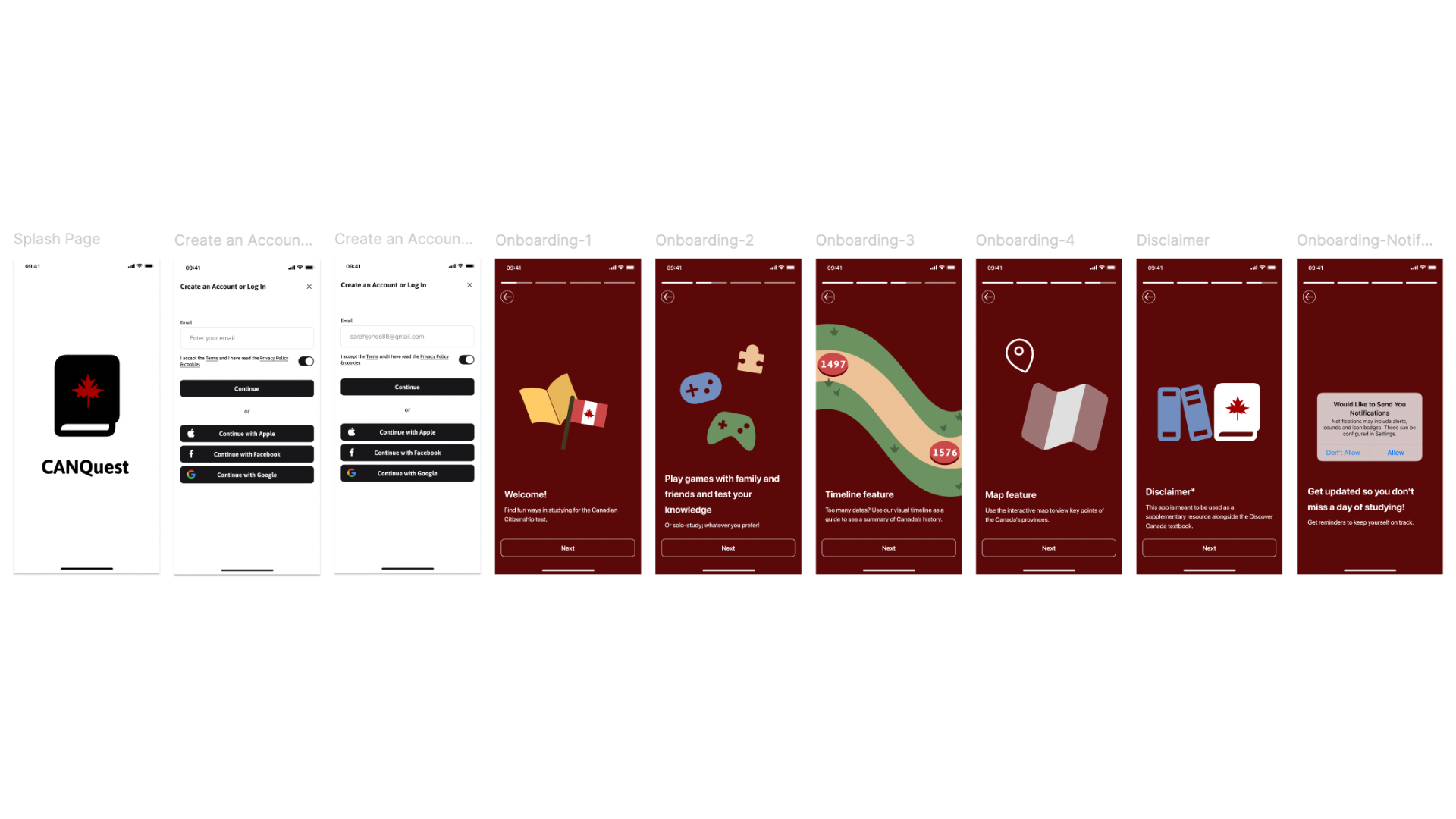
                      Mockups: Onboarding Screens

                      All of these elements finally come together in the final designs. Users can search by location to create a new trip and start planning.
                      Features

                      Research revealed that nearly all users traveled with family or partners/friends. This feature let’s people plan trips together.

                      Innovative Features

                      A scrolling tab bar keeps different kinds of information organized inside single trip. Users can research and plan all aspects of a trip in one place. They can come back when they’re ready to reserve.
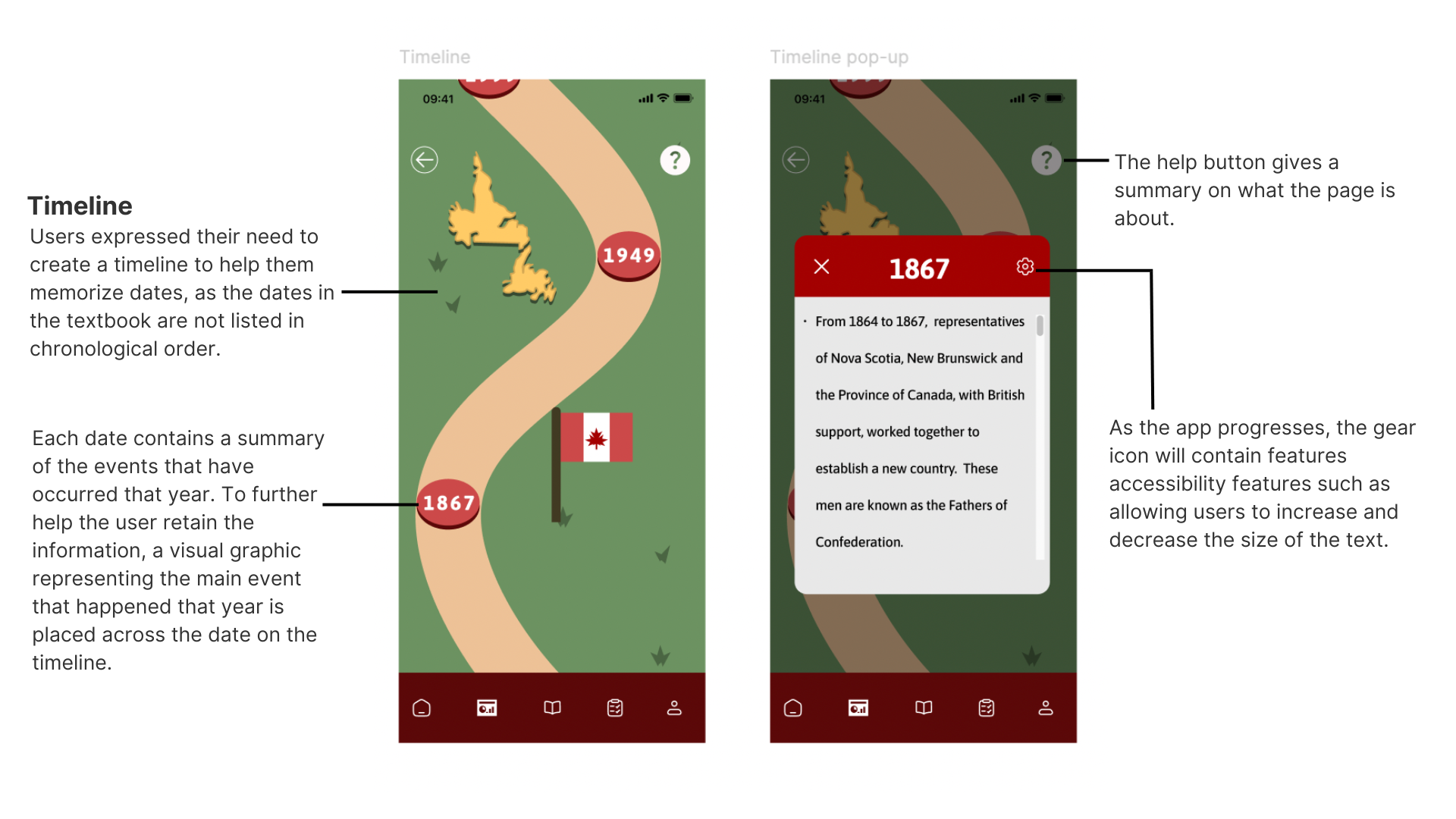
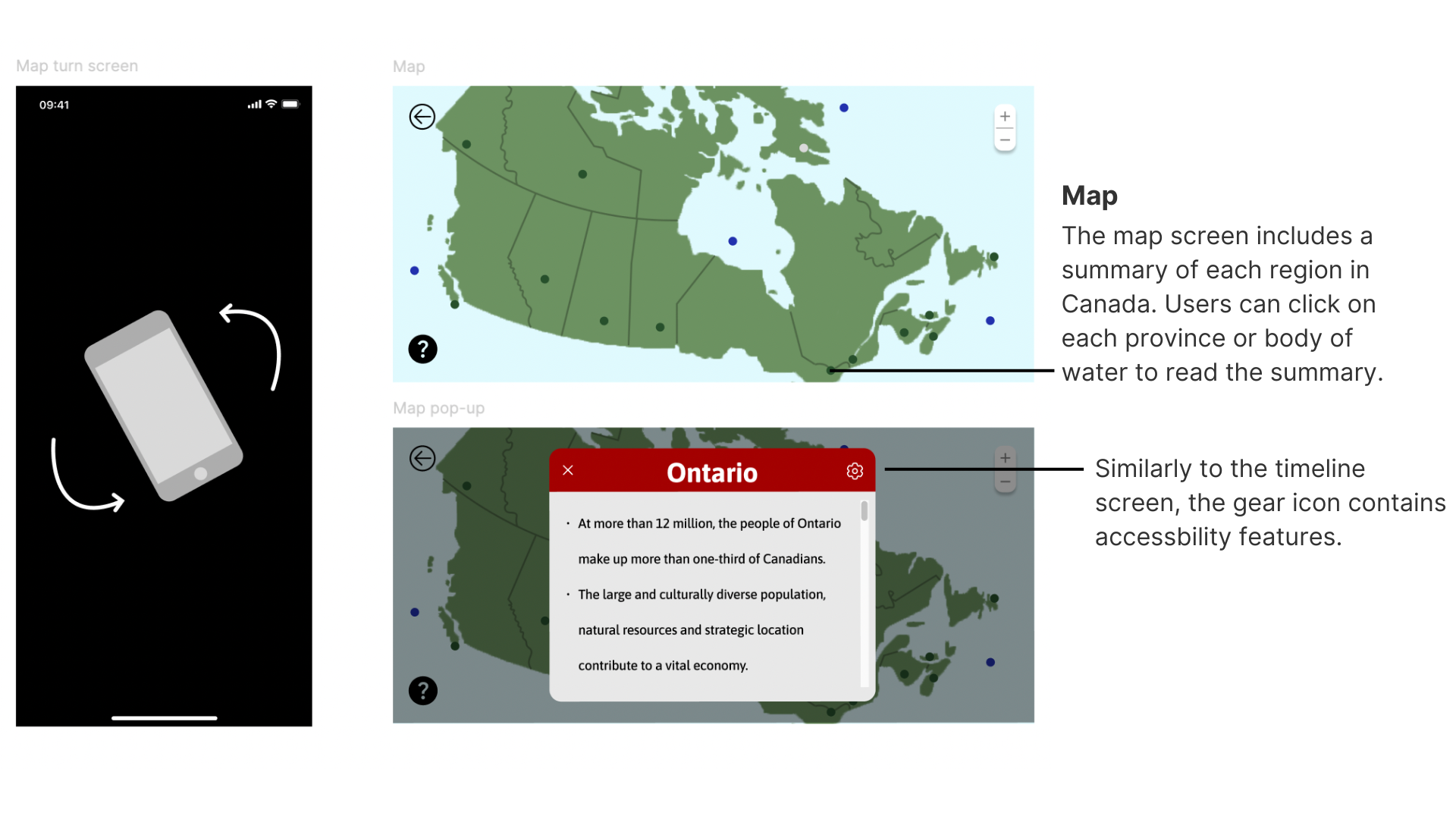
                      Study and Game Features

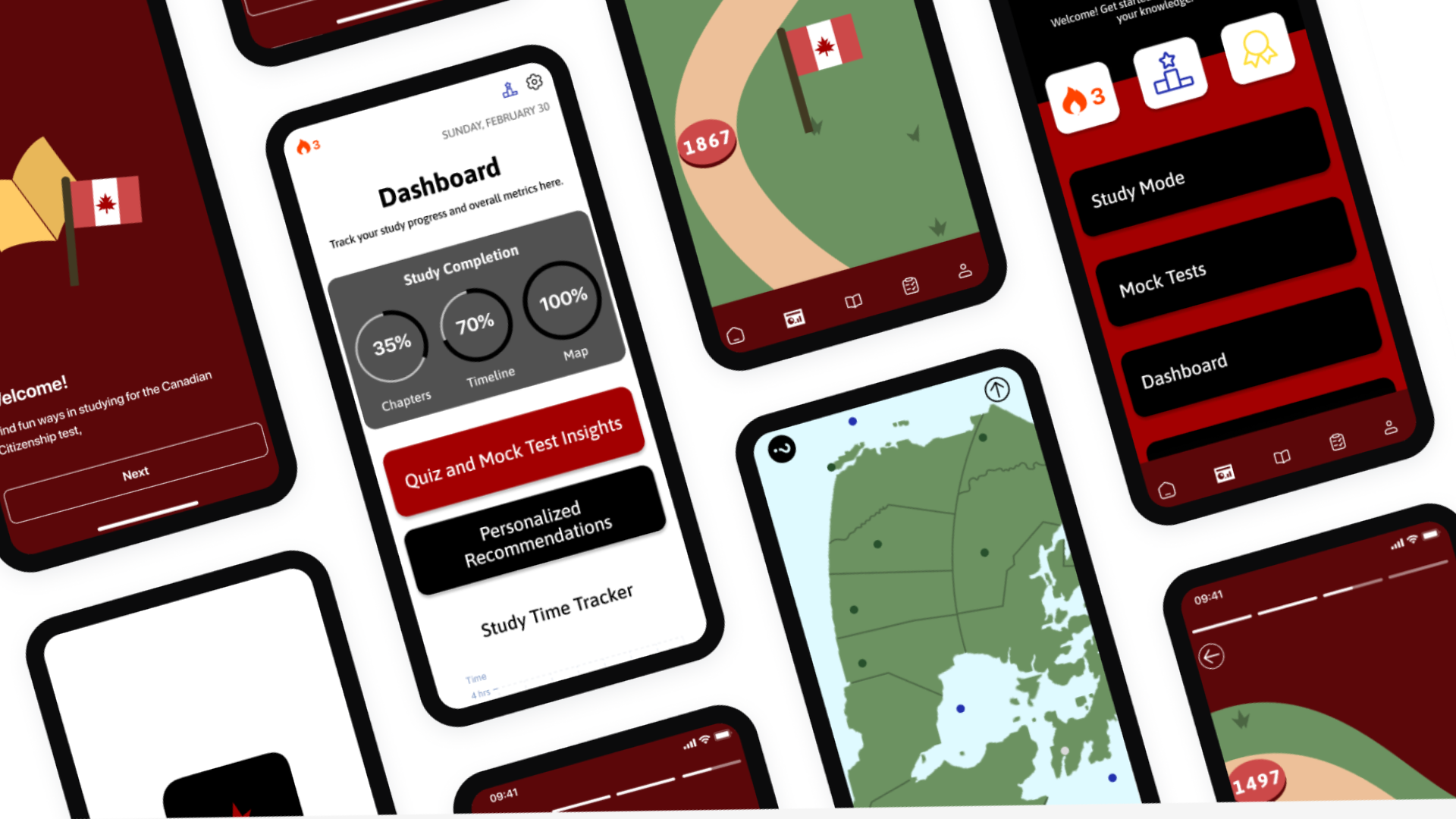
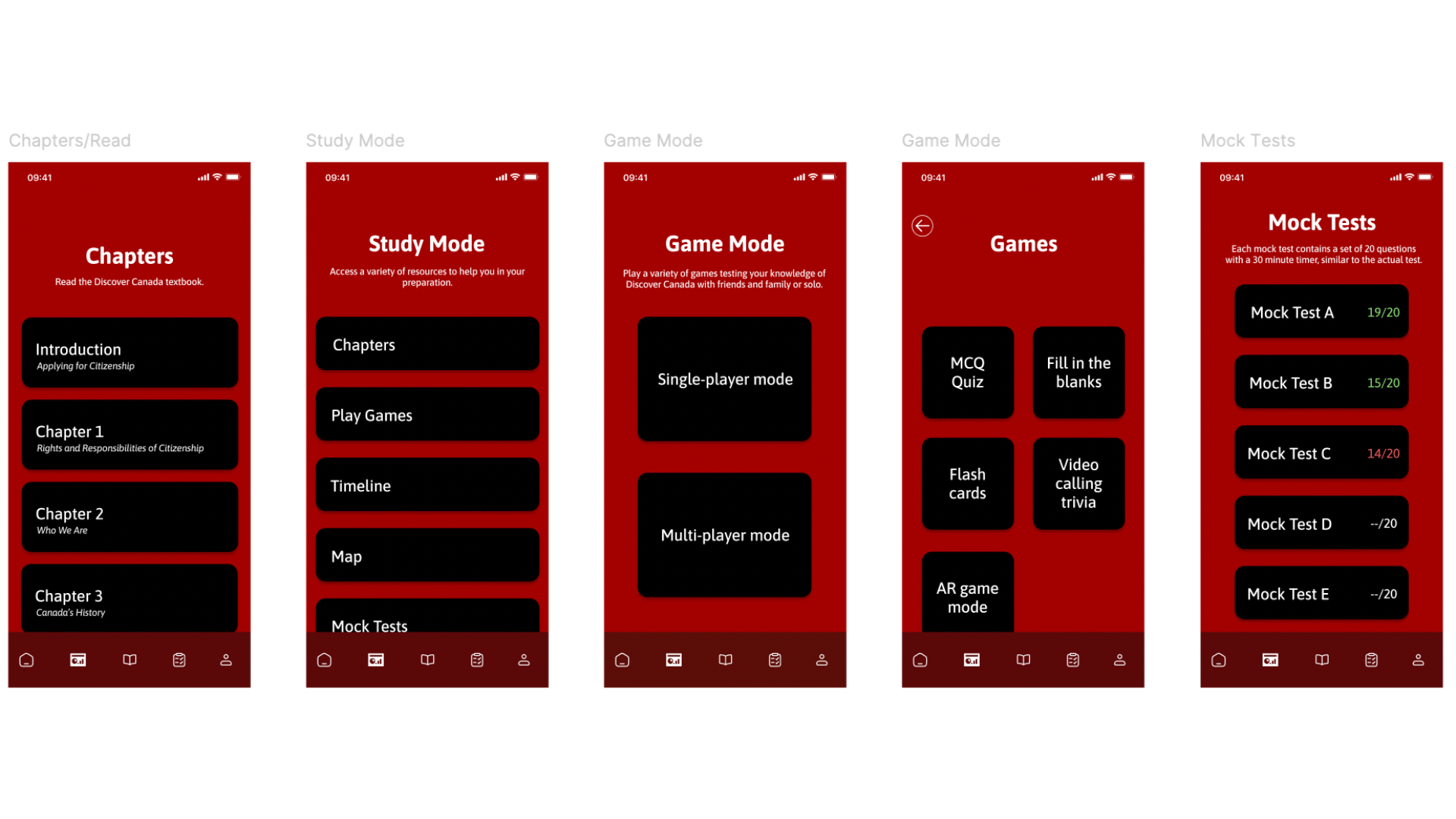
                      Users can learn and revise different concepts by reading the Discover Canada textbook, using the various features in the study mode, play games and practice mock tests.
                      Hifi Prototype

                      Usability Testing: Round 2 Findings

                      Include the back button on multiple screens. On some screens users might want to go back but they can’t.
                        Some of the buttons are redirecting the user to the wrong screen so those need to be fixed.
                        The navigation bar needs to be expanded further on the “Study Mode” page so it’s easier to scroll down and click on the last button.
                          There could be a feature on the timeline that allows users to edit it and add in their own dates and graphics/drawings.

                            Takeaways

                            Next Steps

                            Accessibility Considerations

                            Before building out the UI for each screen I made sure that my choice of colours met WCAG AA Compliance.

                            I am using only one typeface: Asap for headlines and body copy. Mixing too many different typefaces can make the app seem busy and difficult to read with typefaces that are not appropriate.

                            As the app progresses, there will be options for the user to increase/decrease the size of the text, use the app in night mode, and have to option use haptic feedback.